My Aadhaar Login
To log into the My Aadhaar portal, you will need your 12-digit Aadhaar number and access to the mobile phone number registered with your Aadhaar to receive an OTP (One-Time Password).
Steps to Login
-
Visit the Official Website: Go to
myaadhaar.uidai.gov.in
.
-
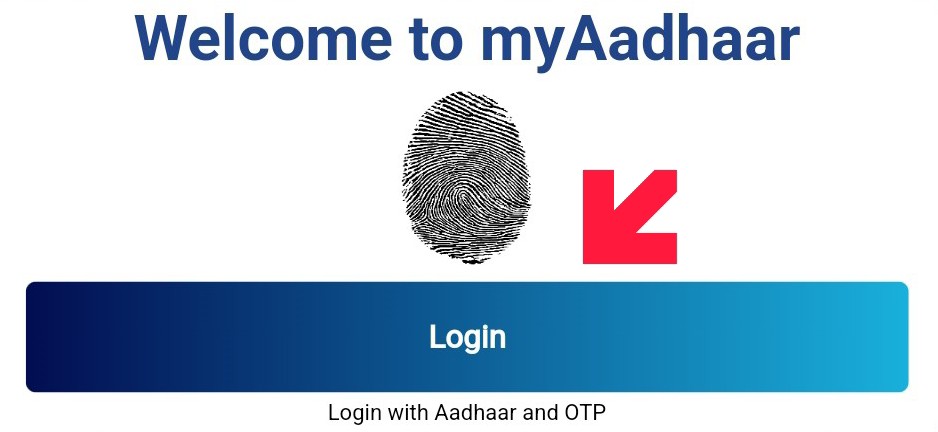
Click Login: Look for the "Login" button on the homepage (usually accompanied by a finger-scan icon).
-
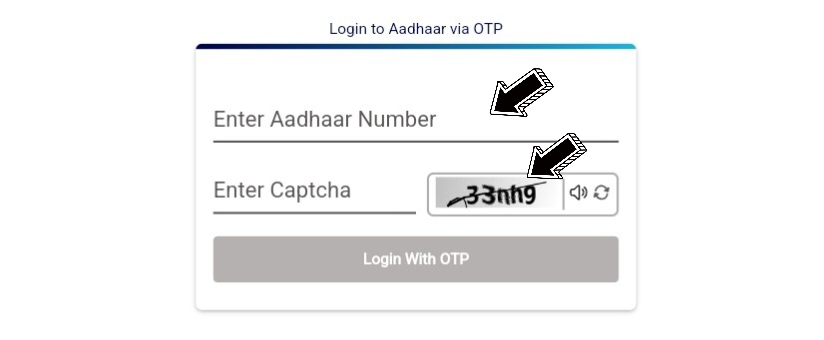
Enter Details:
- Enter your 12-digit Aadhaar Number.
- Type in the Captcha (security code) shown on the screen.
- Authenticate: Click "Login with OTP".
- Submit OTP: You will receive a 6-digit code on your registered mobile phone. Enter this code and click "Login".
What Can You Do Once Logged In?
Once you are inside your dashboard, you can manage several tasks without visiting an enrolment center:
- Download e-Aadhaar: Get a digital copy of your card.
- Update Address: Change your home address online (with valid proof).
- Order PVC Card: Get a durable, plastic Aadhaar card delivered to your home.
- Check Bank Seeding: See which bank account is linked to your Aadhaar for government benefits.
- Lock/Unlock Biometrics: Secure your fingerprints and iris data from unauthorized use.
Important Tips
- Password for PDF: If you download your Aadhaar, the PDF password is the first 4 letters of your name (in CAPITAL letters) followed by your year of birth (e.g., if your name is ARJUN and you were born in 1995, the password is ARJU1995).
- No Registered Mobile? If you haven't linked a mobile number yet, you can still use services like "Order Aadhaar PVC" or "Check Enrolment Status" without logging in, but you won't be able to access the full dashboard.